 Tapas
How to turn your recipes into one grocery list
The Tapas team · · 3 min read
To turn recipes into a grocery list, copy every ingredient from every recipe you're cooking onto one list and add up the ones that repeat, so the garlic from three recipes becomes one line. Then cross off what's already in your kitchen and sort the rest by where it is in the store.
You can do this on paper with the recipes open in front of you, or let a recipe app add things up while you plan the week.
Doing it by hand
- Decide which recipes you're making this week and how many people each one is for. If a recipe serves four and you're cooking for two, change the amounts now, before anything goes on the list. The recipe scaler will do the arithmetic for you.
- Copy every ingredient onto one sheet with its amount, and write the recipe's name next to it in parentheses. The names help later if you drop a dinner and need to know which items go with it.
- Combine the duplicates. Put the same units together before you add them: three cloves of garlic and two cloves of garlic make five cloves, but "2 tablespoons butter" and "50 g butter" need converting first (a grams to cups converter helps with those).
- Write each line the way the store sells it. Nobody buys nine cloves of garlic, they buy a head. Six tablespoons of butter is most of a stick, and "juice of 2 limes" is two limes.
- Cross off what you already have. Check the actual jar, because the cumin you're sure about is the one that's run out.
- Sort what's left into the parts of the store: produce, meat and fish, dairy and eggs, bread, dry goods, frozen. That way you do one lap of the store instead of doubling back for the cilantro.
A worked example
Say the week is chicken tacos on Monday, fried rice on Wednesday and a tomato soup on Friday. Here's what the onion and garlic lines look like before and after step 3.
Before:
- 1 onion (tacos)
- 3 cloves garlic (tacos)
- 1 onion (fried rice)
- 2 cloves garlic (fried rice)
- 2 onions (soup)
- 4 cloves garlic (soup)
After:
- 4 onions
- 9 cloves garlic, so one head
That's six lines down to two. Onions, garlic, oil and fresh herbs tend to turn up in more than one dinner a week, so they're the lines to look for first.
Sharing the list
If two of you do the shopping, keep one list you can both see and edit, so the milk doesn't get bought twice. A shared note will do, or a list app you both use, as long as you each check things off as they go in the cart.
How to do it in Tapas
Tapas is the recipe app we make, free on iPhone, and it builds the list straight from your meal plan.
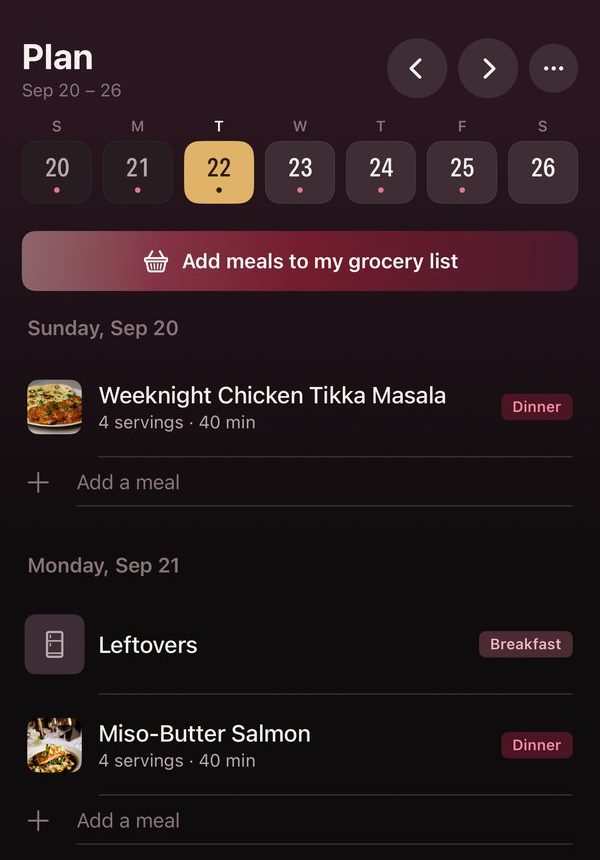
- Put your recipes on the days you'll cook them in Plan and set how many people each one is for, and the list will use those amounts.
- Tap Add meals to my grocery list.
- Tapas shows you every item before it goes on the list. Ingredients that repeat across recipes are already added up, and each one says how many recipes it came from.
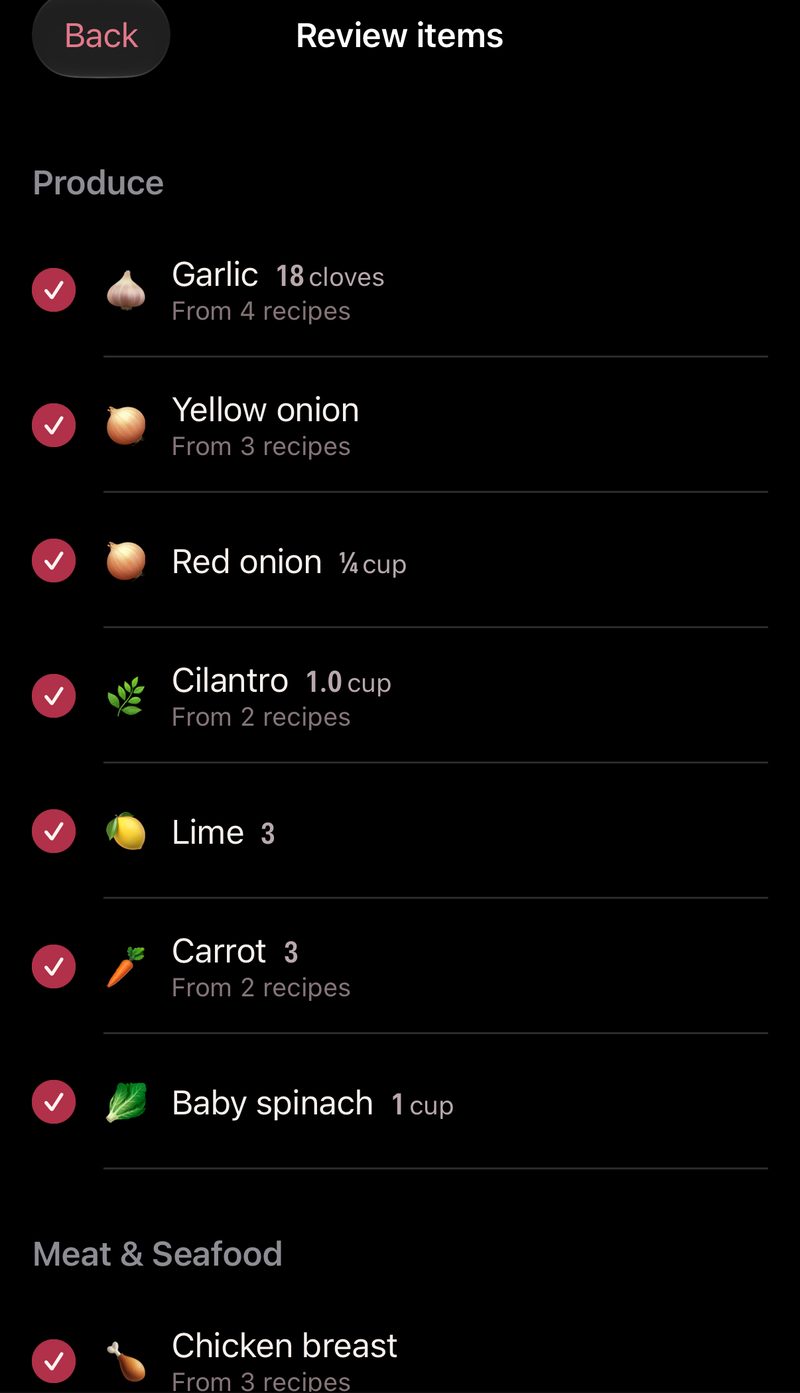
- Uncheck anything you don't need and tap Add.
- Your list then shows a note saying how many ingredients were combined. Tap it to see each recipe's share of every combined item, and split one back up if two things shouldn't have been joined.
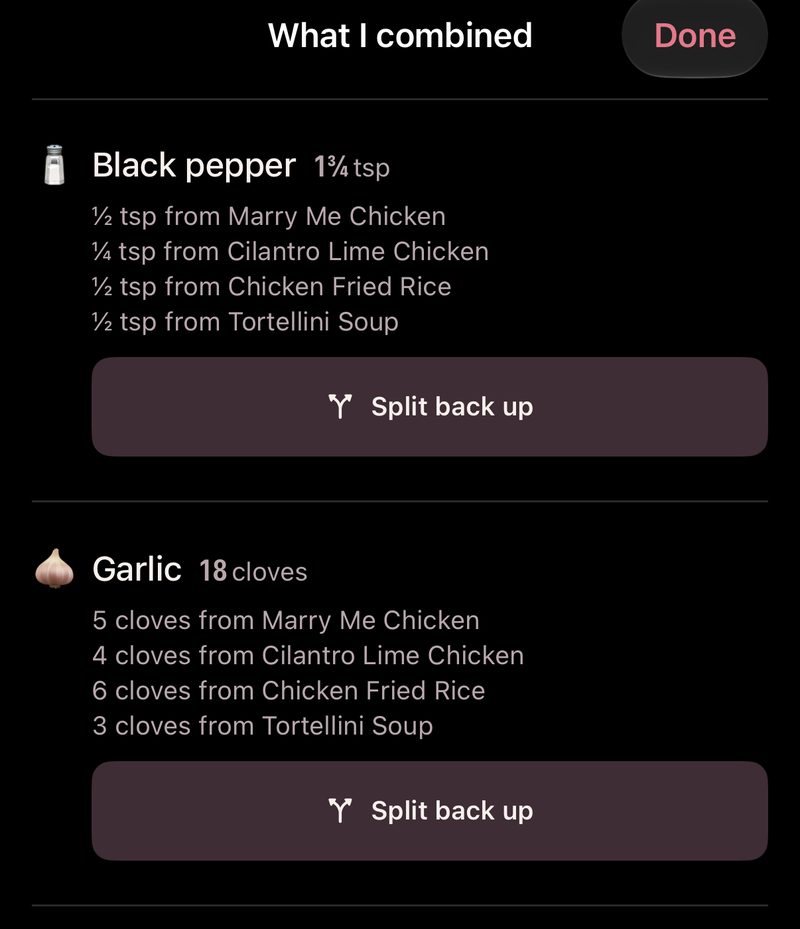
Tapas leaves off the spices, sauces and staples you've told it you keep at home. If you'd rather see everything, turn off Skip what's in my kitchen under Settings, then Preferences.
The list is sorted by aisle and shared with everyone in your household, so whoever is at the store can see what's already been picked up.
If you only want one recipe's ingredients, open the recipe and choose Add to grocery list.
Recipes you save from TikTok or Instagram go on the list the same way. We've written up how to save a TikTok recipe and how to save recipes from Instagram.