 Tapas
How to save a recipe from TikTok so you can cook from it
The Tapas team · · 4 min read
To save a recipe from TikTok, tap the bookmark on the video so you can find it again, and then get the recipe itself written down. Check the caption, the creator's pinned comment and the link in their bio first, and if the recipe is only in the video, write it out as you watch or share the video to a recipe app that writes it out for you.
What TikTok's own save button keeps
The bookmark icon on the right of a video adds it to Favorites, which you'll find on your profile. You can sort favorites into collections, like one for dinners.
That's fine for finding a video again, but it gets awkward once you're cooking from it:
- Halfway through, you're dragging back through a 45-second clip with oily fingers, trying to hear how much soy sauce went in.
- If the creator deletes the post, it's gone from your favorites too.
- Favorites are a grid of video thumbnails, so finding "that chicken thing with gochujang" three months later means scrolling and guessing.
A screenshot of an ingredient list that flashes up on screen helps with the amounts. It doesn't get you the steps, though, and a month later it's somewhere in your camera roll between a parking spot and a receipt.
Check whether the recipe is already written down
Before you start pausing and typing, look for a version the creator wrote out.
- Tap the caption to open the whole thing. Plenty of creators paste the full ingredient list in there, and sometimes the method too.
- Look for a comment the creator pinned to the top. If people asked "how much garlic?", the answer is often there.
- Open their profile and try the link in their bio, especially if the video says "recipe on my site".
- Watch for amounts typed over the video. Some creators never say a number out loud and leave it on screen for about a second.
If the recipe is on the creator's own website, save that page instead of the video, because it usually has exact amounts and the creator gets the visit.
If it's only in the video, write it down as you watch
Watch it once all the way through without pausing, just to see where it's going. Then watch it again and pause after every step.
List the ingredients in the order they go in. When the amount is "a good glug of oil", decide what that means to you (two tablespoons, maybe) and write that down so you're not guessing again next time. If the creator works in grams and you think in cups, convert as you go with our grams to cups converter.
Note the things you can see that nobody mentions. The size of the pan matters, and so does how dark the onions get before anything else goes in.
Keep each step short enough to read at a glance with a spoon in your hand, like "fry the garlic for a minute". If the video never says how many it serves, guess from the size of the pan and write that down too, so you can scale it later. Paste the link to the video at the top as well, for when a step stops making sense.
Keep it somewhere you can search
A notes app works until there are forty recipes in it. If you stay with notes, keep every recipe in one folder and start each note with the dish and its main ingredient, so a search for "gochujang" finds it.
A recipe app saves you the typing, and a good one will also put the ingredients on your grocery list.
How to save a TikTok recipe with Tapas
We make Tapas, a free recipe app for iPhone, and this is how it handles a TikTok link.
- On the TikTok, tap the Share arrow and choose Tapas from the apps it offers. If it isn't in the row, tap More at the end to find it. You can also tap Copy link, open Tapas, tap the + on your Cookbook and paste the link into Import.
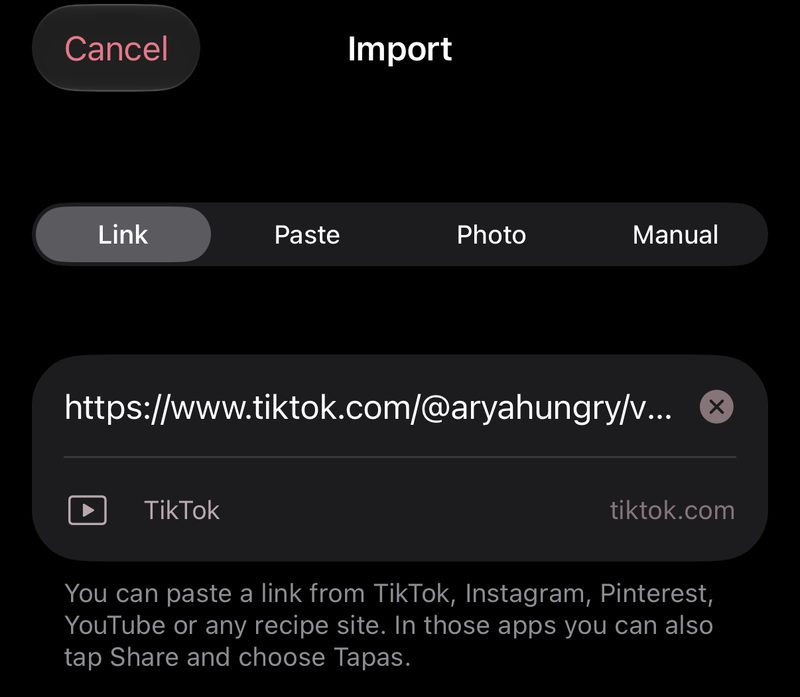
- Tapas reads the caption and listens to the video, and if the caption links to the recipe on the creator's site, it reads that page too. Then it writes the recipe out with amounts and steps. The listening happens on your iPhone, and only the words it hears are used to write the recipe.
- When it's ready, read it through the way you'd check your own notes. If an amount was never given anywhere, the recipe won't have one either, so look for lines with no quantity and fill them in from what you saw. You can change anything, and the link to the original post stays with the recipe.
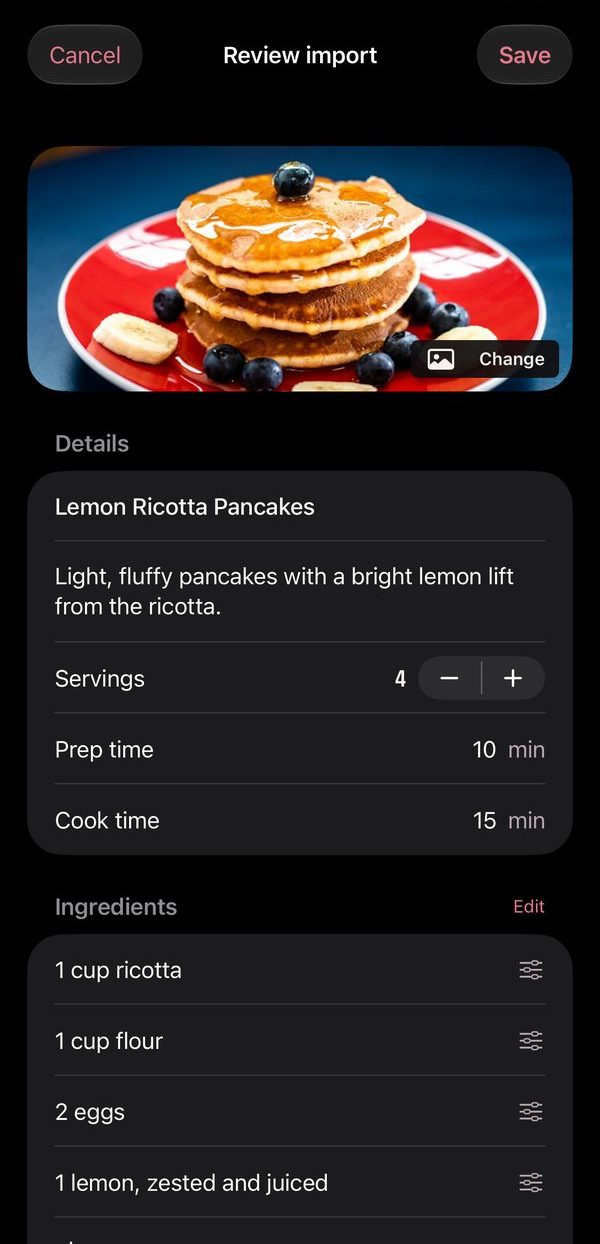
From there it's a recipe like any other in your cookbook. If you put it on Thursday's dinner and add the week to your grocery list, the garlic it shares with your other recipes ends up on one line. There's more on that in how to turn recipes into a grocery list.
If you want something to cook tonight instead, you can browse the recipes we've written.